


As Java programs grow bigger, managing hundreds of classes becomes difficult. Without proper organization, code quickly turns messy and confusing. This is where packages in Java become essential.
Think of a package like a folder in your computer. Just as you store related files in folders, Java uses packages to group related classes and interfaces together. This helps programmers write structured, secure and easy-to-manage applications.
What are Packages in Java?
A package in Java is a collection of related classes and interfaces grouped together under a common name.
Purpose of Packages in Java
Packages serve several important purposes in programming.
- Organizing Code: They keep related classes together, making programs neat and structured.
- Avoiding Name Conflicts: Two classes can have the same name in different packages without creating errors.
- Providing Access Control: Packages help control access using access modifiers like public, private and protected.
- Supporting Code Reusability: Developers can reuse existing classes from packages easily.
Types of Packages in Java
There are two main types of packages in Java.
1. Built-in Packages in Java
These packages are already provided by Java. They contain ready-made classes and methods. They save time because developers do not need to write common functionality from scratch.
| Package Name | Purpose |
| java.lang | Basic classes like String and Math |
| java.util | Utilities like Scanner and ArrayList |
| java.io | Input and output operations |
| java.sql | Database connectivity |
| java.awt | GUI components |
Java Package Example (Built-in)
import java.util.Scanner;
public class Demo {
    public static void main(String[] args) {
        Scanner sc = new Scanner(System.in);
        System.out.println("Enter number:");
        int num = sc.nextInt();
        System.out.println("Number is: " + num);
    }
}
Here, Scanner belongs to the java.util package.
2. User Defined Package in Java
A user defined package in Java is created by programmers to organize their own classes. It helps manage large projects effectively.
How to Create Package in Java?
You create a package using the package keyword.
Syntax:
package packageName;Program:
Step 1: Create Package
package mypackage;
public class Test {
    public void display() {
        System.out.println("This is a user defined package");
    }
}
Step 2: Compile
Step 3: Use Package
import mypackage.Test;
public class Main {
    public static void main(String[] args) {
        Test obj = new Test();
        obj.display();
    }
}
Comparison Between Built in Packages and User Defined Packages
| Feature | Built-in Packages | User Defined Packages |
| Created By | Java Developers | Programmers |
| Availability | Pre-installed | Must be created |
| Example | java.util | mypackage |
| Usage | Ready-made classes | Custom project classes |
How to Import Packages in Java
Before using classes from packages, you must import them. There are two ways to import packages.
1. Import Specific Class
This method imports only one required class.
Syntax
import packageName.className;Example
import java.util.Scanner;
public class Example {
    public static void main(String[] args) {
        Scanner sc = new Scanner(System.in);
    }
}
2. Import All Classes
This method imports all classes from a package.
Syntax
import packageName.*;Example
import java.util.*;
public class Example {
    public static void main(String[] args) {
        ArrayList list = new ArrayList();
    }
}
Benefits of Packages in Java
Understanding the benefits of packages in Java is very important for students and developers because packages are the foundation of structured programming in Java. Almost every real-world Java application, from small school projects to large enterprise systems, uses packages.
Packages do not just group classes. They improve organization, security, teamwork and maintainability of programs.
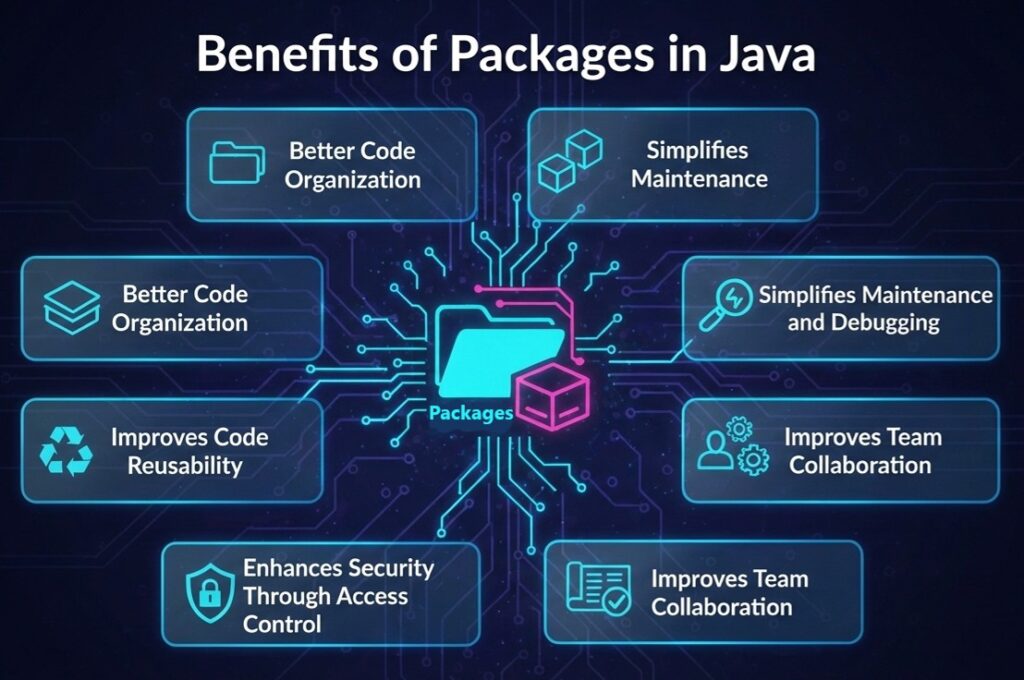
1. Better Code Organization
One of the biggest advantages of packages in Java is that they help organize code in a logical way. In large projects, hundreds of classes exist. Without packages, all classes would remain in one place, making it very difficult to manage them.
Packages allow developers to:
- Group related classes together
- Separate different modules of a program
- Keep project structure clean
2. Avoids Naming Conflicts
Java allows multiple classes with the same name, but only if they belong to different packages. This prevents naming clashes in large projects.
Example
Two different classes can exist:
- school.student.Student
- college.student.Student
Without packages, this would cause errors.
3. Improves Code Reusability
Packages make it easy to reuse existing classes in different programs. Once a class is created inside a package, it can be imported and used in any other project.
This saves:
- Development time
- Effort
- Resources
- Reusability is one of the main reasons why Java heavily uses packages.
4. Enhances Security Through Access Control
Packages help control access to classes using access modifiers such as: public, private, protected, default. This ensures that only authorized classes can use certain methods or data.
5. Simplifies Maintenance and Debugging
When programs grow larger, maintaining code becomes difficult. Packages divide programs into smaller parts, making it easier to:
- Locate errors quickly
- Update specific modules
- Modify functionality without affecting the whole program
- This modular structure reduces maintenance effort.
6. Supports Modular Programming
Packages allow developers to build programs in modules. Each package acts like an independent unit that performs a specific task.
7. Improves Team Collaboration
In large projects, multiple developers work together. Packages allow teams to divide work efficiently.
8. Makes Large Projects Manageable
Without packages, large Java applications would become extremely difficult to manage.
Packages help by:
- Structuring the project
- Reducing confusion
- Making navigation easier
Frequently Asked Questions (FAQs)
Conclusion
Packages in Java are essential for writing structured, scalable and professional programs. They help organize classes, prevent conflicts and support secure code development. Mastering packages is a key step toward becoming a confident Java programmer.
If you’re thinking of learning programming, Java is a great place to start!


Leave a Comment